Opal Honkai: Star Rail
Honkai: Star Rail cheat · Windows 10/11 Intel/AMD
Your purchase is backed by years of development, continuous updates and a dedicated support team committed to your success.
Support is really helpful, and they assist very quickly if you have a problem with anything at all. I recommend it!
J Jan Morwa · VerifiedIt was very good, the service was good and all the cheats work.
R Rebecca Collins · VerifiedThe company is great, the support team is always nice and willing to take their time with you. Top tier.
E Elite830 · VerifiedThe installation is easy and the backup and help is a major part of why I stay.
C Crisso137 · VerifiedEverything included with Opal Honkai: Star Rail
Windows 10/11 Intel/AMD
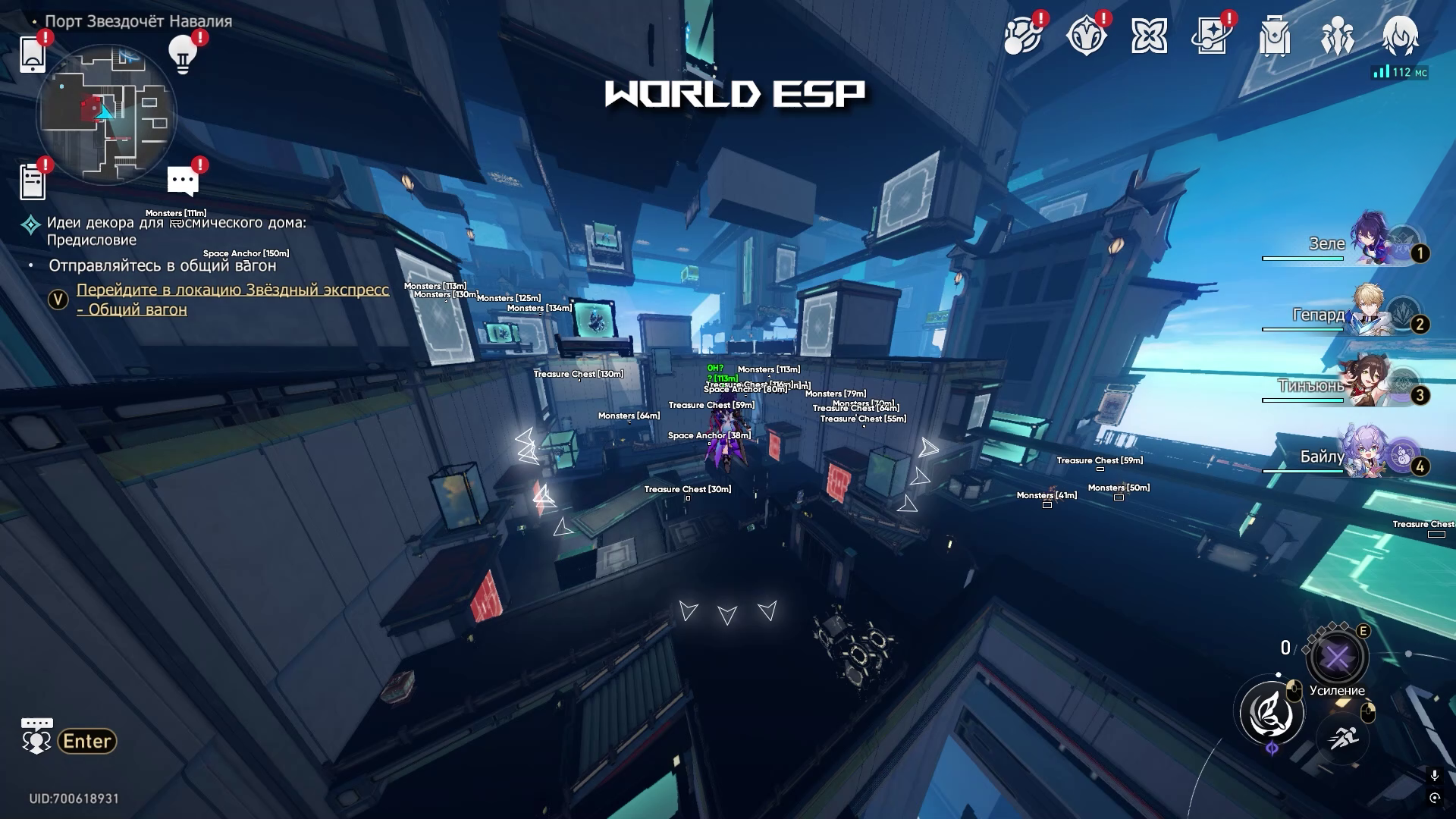
Visual Options:
- Show Offscreen
- Max Distance
- Boxes (Outlined / Thin)
- Names
- Distance
- Treasure Chests
- Space Anchors
- Books
- Visuals Builder (allow to add any object to ESP)
- Objects logger
Gameplay Adjustments:
- Teleports On Click
- Chest teleport
- Noclip
- Speedup battle (up to x15)
- Speedup dialogs
- Auto dialogs
- Auto loot / Aoe loot (up to 30m)
- Unlock Auto Battle
- Unlock Exit Battle
- Dumb World Enemies
- Magnetizer
- Remove Dither
- Uid Changer
- Show FPS
Opal Honkai: Star Rail questions
Is Opal Honkai: Star Rail undetected?
Yes. Opal Honkai: Star Rail is built to stay undetected and is retested after every Honkai: Star Rail update. If a patch breaks it, the product is pulled offline until a safe build is ready.
How fast is delivery?
Instant. Your license key and loader are shown right after payment and emailed to you at the same time.
Which plan should I choose?
Start with one week if you want to test it, choose one month for the best balance, and three months if you plan to keep playing. Longer plans cost less per day.
What do I need to run it?
Windows 10/11 Intel/AMD. Disable antivirus exclusions as described in the install guide and run the loader before launching the game.